

Most mornings I open my laptop with a clear idea of what I want to write. The first email is already drafted in my head. By the time my fingers find the keyboard, half of it has slipped away. I type the part I still remember, stare at the screen, and try to retrieve the rest.
That space between knowing what you want to say and getting it onto the page is what I'm calling the gap. For years I treated it as part of writing. It isn't. It's the cost of the tool. AI is the first thing that's actually shrunk it for me.
This is a first-person take. Not a listicle, not a tool roundup. Just the workflow I've settled into over the last year, the parts that work, and the parts that still don't.
The Speed Problem Nobody Talks About
The numbers explain why the gap exists. A normal desktop typist runs around 40 words per minute. Strong professionals get to 60 or 70. Conversational speech sits at roughly 150 wpm without trying. Inner speech, the verbal voice in your head when you compose a sentence, runs higher again, with estimates around 300 wpm at the upper end.
So the rough ratio is: think at 300, speak at 150, type at 40. Typing is the slowest leg in the chain by a long way. Everything you have to wait for is friction, and friction is where ideas leak out.
What changed for me wasn't the typing. I didn't get faster on the keyboard. The change was switching the bottleneck. I stopped trying to write at typing speed and started letting myself write at speaking speed, with AI doing the cleanup behind the scenes.
Why Typing Quietly Makes You Smaller
The cost of typing isn't only speed. It's that you start editing the thought to fit the bottleneck. You write the shorter version. You skip the nuance. You drop the example. You hit send and feel slightly dishonest about how flat the message turned out.
I noticed this most in Slack. I'd start to type a careful reply, watch the cursor sit there while I rewrote the sentence in my head, then delete the whole thing and send three words instead. "Sounds good." "Got it." "On it." Plenty of work conversations died at that point, not because I had nothing to add, but because adding it cost more than it was worth.
Once I stopped typing those replies and started speaking them, the messages got longer, warmer, and clearer. Same brain. Different output channel.
What Closing the Gap Actually Feels Like
Here's a Tuesday-morning scene. A client sends an email asking why a project is behind. There's a real answer: partly our scope changes, partly their late approval, partly a holiday week. It's not a one-liner. It's three paragraphs that have to be diplomatic without being weasel-worded.
Old version of me opens the reply, types the first sentence twice, deletes it, and spends fifteen minutes producing four polite paragraphs that don't quite say what I mean.
Current version of me holds one key, talks for ninety seconds, lets go. The reply is sitting in the email, already paragraphed, already cleaned up, with the filler words gone. I read it once, fix one phrase, send it. The email took two minutes instead of fifteen, and it's closer to what I actually wanted to say, because I never had to compress the thought down to typing speed.
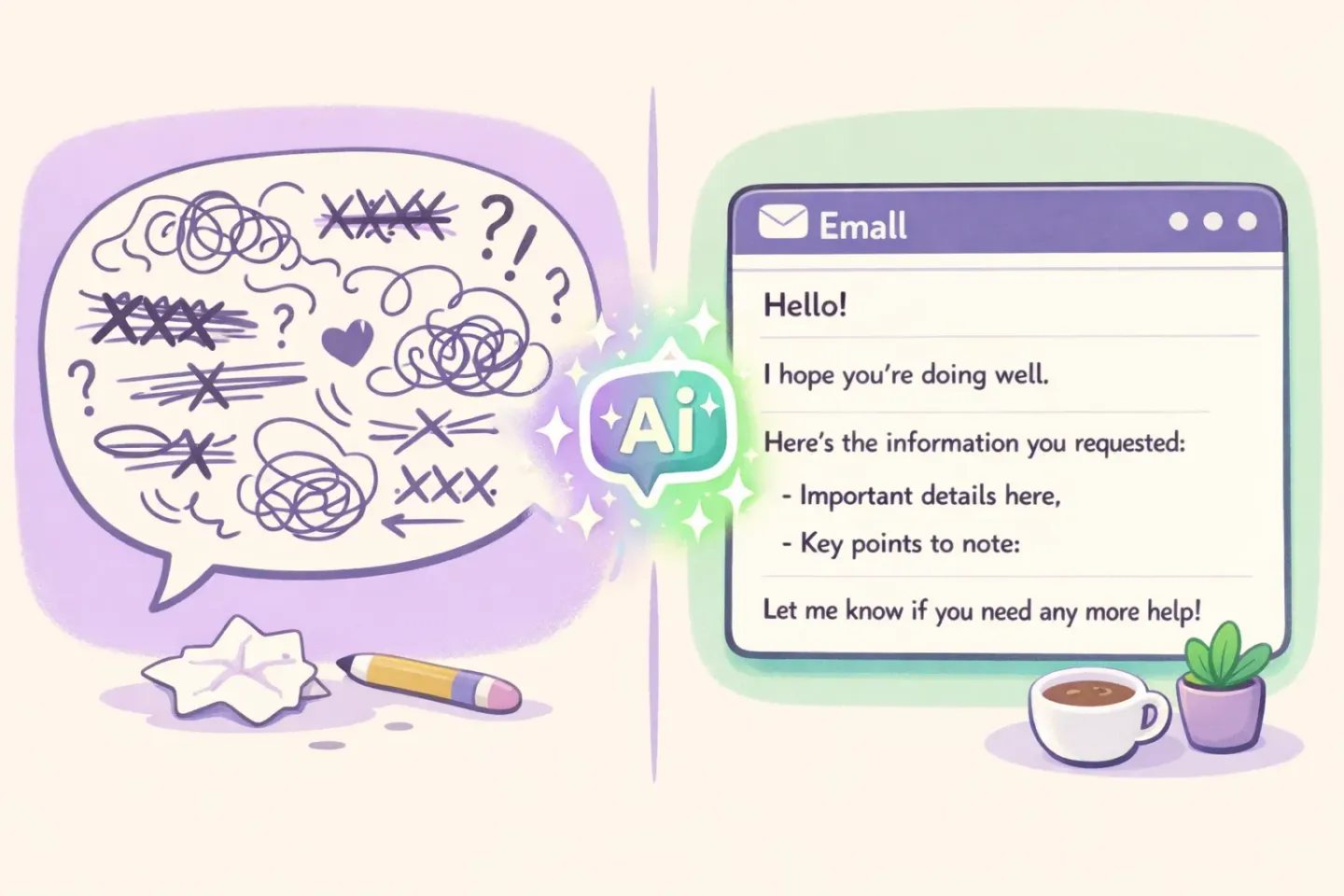
The first time it worked I sat there a little stunned. Not because the technology was magic. It isn't. The reason was simpler: the friction I'd accepted as part of writing was suddenly optional.
The Two AI Layers That Made the Difference
It took me a while to realize my workflow has two AI layers, and that both are doing work. People talk about one or the other; rarely both.
Layer 1: voice in, clean text out
The first layer is voice dictation with AI polishing. I hold a key, speak normally (with the "ums" and the restarts and the half-sentences), and the text that lands in my clipboard is already cleaned up. Filler words removed. Grammar fixed. Run-on sentences broken into actual paragraphs.
This is not the same as built-in dictation. Apple's dictation gives you the raw transcript with the "ums" still in it. AI polishing rewrites the transcript while preserving what you meant. The difference is the difference between a recording and a draft.
Layer 2: text in, better text out
The second layer is in-place text correction. I select something I've already written (a paragraph, a sentence, a whole email), press a shortcut, pick a prompt like "make this more concise" or "soften the tone," and the selection gets rewritten in place. No tab switching. No copy-paste into a chatbot. The text I had gets replaced by a better version of itself.
Voice dictation gets the thought onto the page fast. In-place correction handles the last 10 percent of polish. Together they're closer to writing-at-speaking-speed than either is alone.
The Daily Workflow I Actually Use
Here's what an average day looks like in practice. None of this is theoretical. It's the actual shape of my writing now.
Morning inbox. I read each email, then dictate the reply. Most are one paragraph. A few are longer. Almost none get typed. The whole batch that used to eat the first hour now takes about twenty minutes.
Slack throughout the day. Short replies still get typed, because the friction is low and the cognitive lift is small. Anything that needs more than two sentences gets spoken. The tone is automatically casual because that's how I talk in Slack.
Documents and notes. First drafts are almost always dictated. I open a blank doc, speak for five or ten minutes about whatever I want to cover, and then I have a real draft to work with. Editing a draft is much faster than starting one, and the gap between thinking and writing is widest at the blank-page stage.
Editing pass. This is where the second layer earns its keep. I select sentences that read clunky and ask for a tighter version. I select paragraphs that sound too stiff and ask for something warmer. Each correction takes two seconds, in place, no app switching.
One thing that surprised me: I write more total words now, not fewer. The AI didn't replace my output. It removed the part of the work that was just keystroke-tax.
If you want a closer look at the email-specific side of this, I went deeper on it in Dictate Emails on Mac.
The One Setting That Made All of It Work
There's a setting I almost skipped past when I first tried this kind of workflow, and it turned out to be the thing that made it usable: per-app writing styles.
Slack and email don't want the same tone. A formal cover letter doesn't want the same tone as a Notion brainstorm. If the AI polish flattens everything into the same voice, the output is faster but worse, and you stop trusting it.
This is exactly why Voicr has Smart Rules. You set a casual tone for Slack, a more formal one for Mail, and a no-frills one for the terminal. Voicr detects the active app and applies the right style without you doing anything. I dictate the same way in every app; the output adapts. That's the trick that made me stop reverting to the keyboard for "important" messages.
Where Raw Dictation Falls Apart (and Polish Saves You)
Raw dictation has a specific failure mode that anyone who's tried it will recognize. You speak a paragraph. The transcript comes back with every "um" preserved, your two restarts spliced together, and a sentence that ran on for forty words because you didn't pause.
You can edit it. But editing a raw transcript is its own kind of work, and it can be slower than just typing the thing cleanly the first time. That's why most people who try built-in dictation give up after a week.
Polishing changes the math. When the AI removes the filler words, fixes the grammar, and breaks the wall of speech into paragraphs, the output is something I'd send without rewriting. The dictation step stops being draft-zero and starts being something close to a final draft.
This is the part competing articles often gloss over. The speed advantage of voice over typing is real, but it's only useful if you don't pay it back in cleanup time.
Honest Trade-offs
It's not all clean wins. A few things are still better typed:
- Highly technical text with code, command names, or product SKUs. Dictation gets the words; it doesn't always get the symbols right. I still type code. - Noisy environments. Cafés, planes, shared offices. Speaking to your laptop in a quiet room is fine. Doing it next to someone on a call is not. - Sensitive topics around other people. A breakup email or a hard feedback note is something I'd rather type than speak out loud where it can be overheard. - Deep editing. Once a document is mostly there, I prefer to make small surgical edits with the keyboard. Voice is for getting things onto the page, not for moving commas.
Knowing when to switch back is part of the workflow. The keyboard isn't gone. It's just no longer the default.
What This Has Actually Changed for Me
The honest answer isn't "I produce 4× the content." It's smaller and stranger than that.
I send longer Slack replies because the cost of writing them dropped. I take fewer half-finished notes because dictating a full thought is faster than typing a fragment. I write first drafts the same day the idea shows up, instead of saving them for a stretch of focused time that often never comes. The gap between having an idea and having a draft of it has shrunk from days to minutes.
That's the thing the speed numbers don't capture. The real question is whether the act of writing has become cheap enough that you do it whenever you want to, instead of saving it up for a focused block of time that often never comes.
How to Try This Today
If you want to test whether this works for you, don't try to redesign your whole workflow. Pick one slot.
1. Pick your next email reply that needs more than two sentences. 2. Instead of typing, hold the dictation key and say what you want to say. Don't pre-script it. Just say it. 3. Release the key and read what landed in the field. 4. If it's close to what you meant, fix the one or two phrases that aren't, and send it.
Do this five times. By the end of the first day you'll know whether the gap I'm describing is your gap too.
If you want the workflow above without piecing it together yourself, Voicr is the app I use. Hold FN, speak, paste. The output is polished, the tone adapts to whichever app you're in, and selecting text plus ⌥Space gives you the in-place corrections for the second pass. Five thousand words a month are free if you just want to see whether it sticks.
The keyboard isn't going anywhere. But for the first time in twenty years of writing on computers, it isn't the bottleneck I have to plan around.